No internet required
Scanning and removal happen locally on your Mac.
 AppSweep
A native application uninstaller for macOS
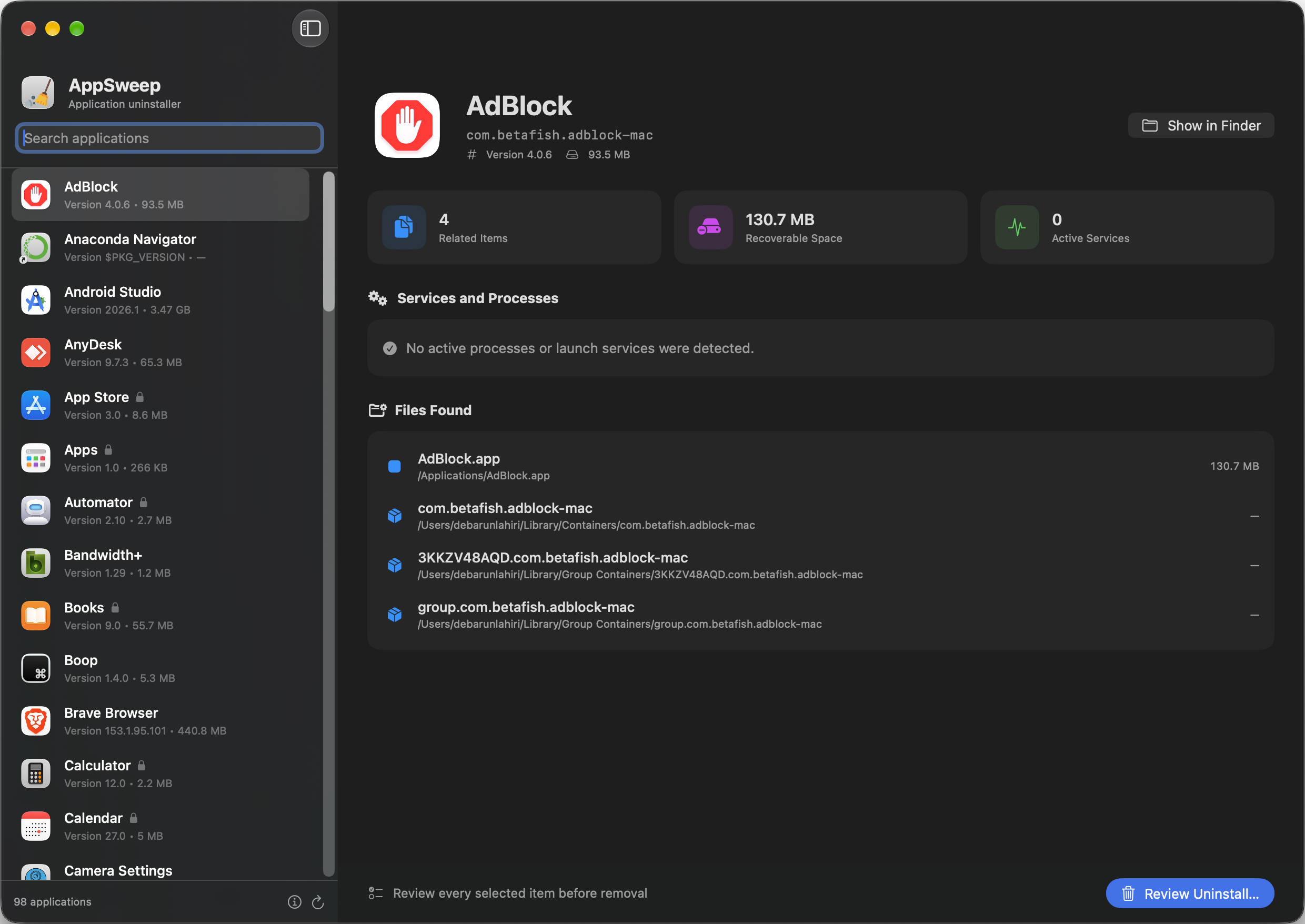
AppSweep finds related files and background services, shows you what it found, and lets you choose exactly what should be removed.
Private by design
The AppSweep application works entirely on your Mac. It does not need an internet connection, show ads, track your activity, or upload information about your apps and files. It is completely free to use.
Scanning and removal happen locally on your Mac.
The app has no analytics, advertising, accounts, or personal-data collection.
No subscription, trial period, or hidden paid features.
How it works
See the caches, preferences, containers, logs, launch items, and saved data connected to an application.
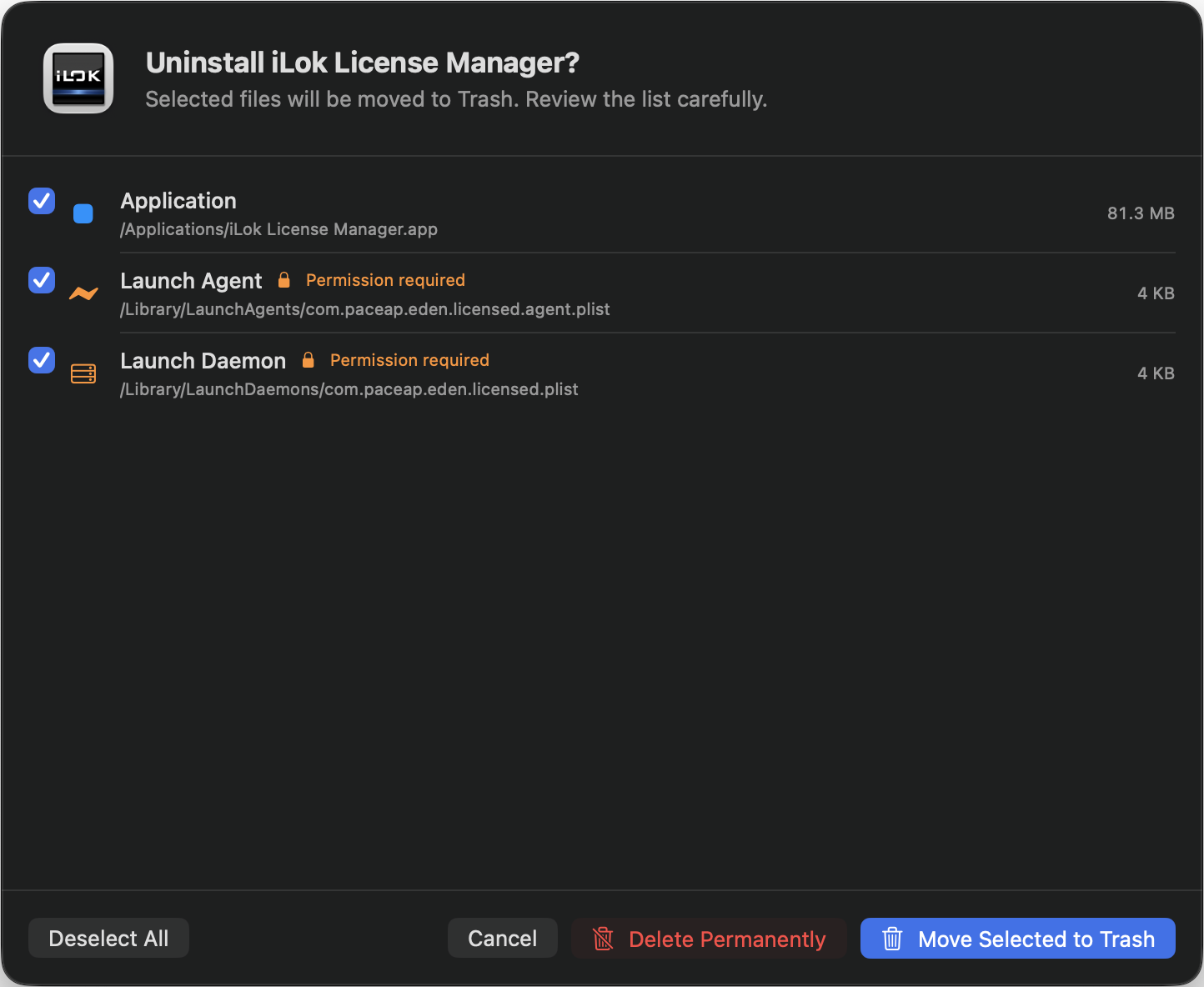
AppSweep shows every detected item first, including its location, size, and whether administrator permission may be required.
Move selected items to Trash for a recoverable cleanup, or permanently delete them after confirmation.
Removal review
Select individual items, identify protected launch services, and choose between moving files to Trash or deleting them permanently.
For macOS 14 and later.